Visual bookmarks
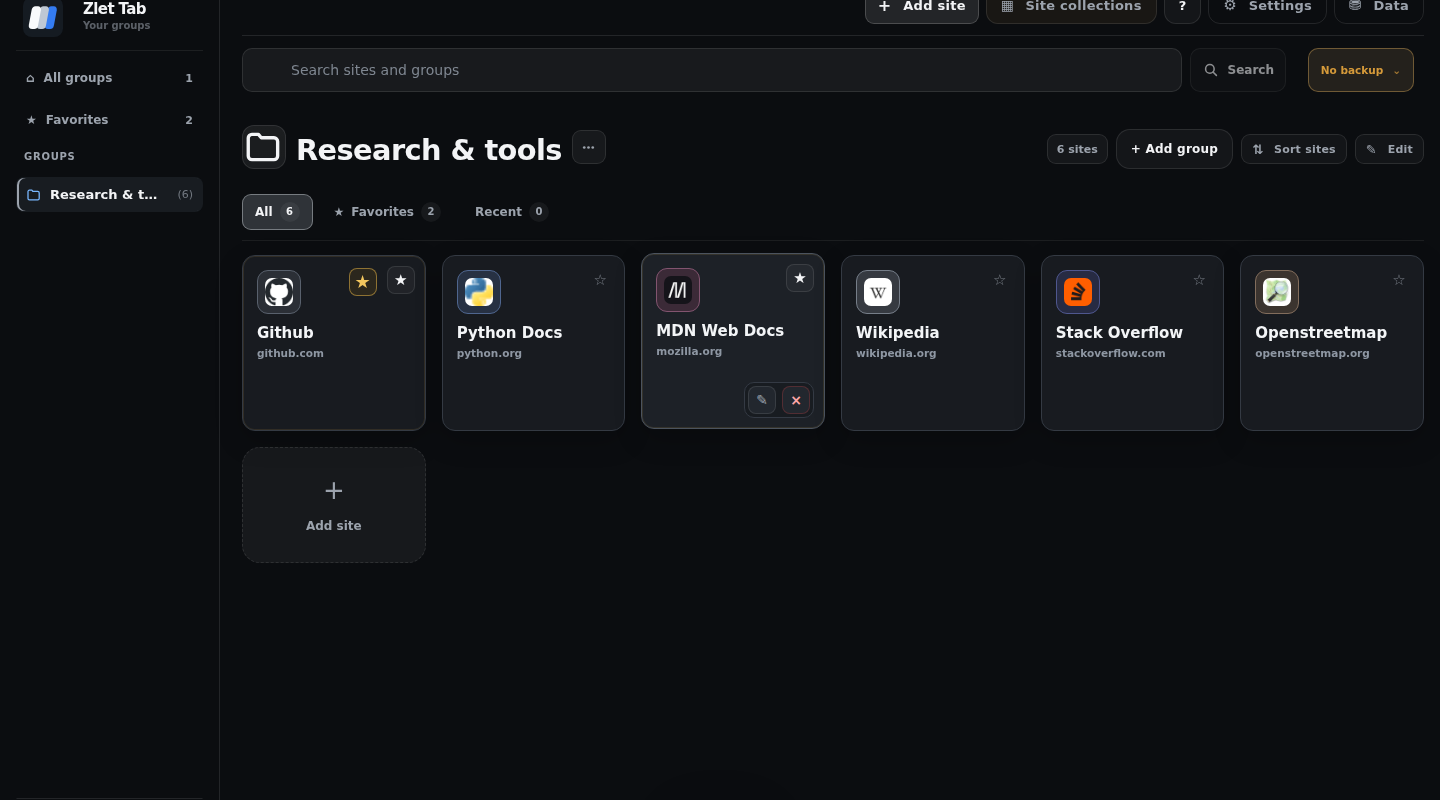
Recognize sites by name, favicon and card. Add a description when the purpose of a link is not obvious.
Zlet Tab · Your links, organized
Put the sites you actually use in one clear workspace. Zlet Tab organizes visual bookmarks into groups, gives you quick search and favorites, and keeps your data in the browser by default.
Local by default No account required for local use Exportable backups
01 / 03
A new tab should help you get somewhere, not turn into another feed. Zlet Tab puts the next useful action first.
Recognize sites by name, favicon and card. Add a description when the purpose of a link is not obvious.
Keep work, reading, tools and personal links separate. Mark the links you visit often as favorites.
Find sites and groups from the same workspace. You can also submit a web search with a selected provider.
Adjust site-card size, group layout and theme to the screen you are using. The workspace stays focused on links.
02 / 03
Start Zlet Tab in your browser. You do not need an account for ordinary local bookmarks.
Enter a site URL, arrange it in a group, or bring in bookmarks exported as HTML from another browser.
Download a backup file, optionally protect it with a password, and keep it somewhere you control. Reload it to restore or move your bookmarks.
03 / 03
Your usual bookmark data lives in this browser. A downloaded backup is a separate file, not automatic cloud storage.
Important: A private-server backup and sync feature can be available for an explicitly configured owner. It is separate from the default local workflow. Connected files also require explicit save and load actions.
QUICK ANSWERS
No. You can use Zlet Tab with local bookmarks without registering.
By default, on this device in your browser storage. You can download a backup file if you want an external copy.
Yes. Export a backup file and import it in Zlet Tab on the other device. Keep a copy before clearing browser storage.
No. Zlet Tab is a separate start page that you can use alongside the bookmarks already in your browser.
Start locally. Back up when you are ready.